


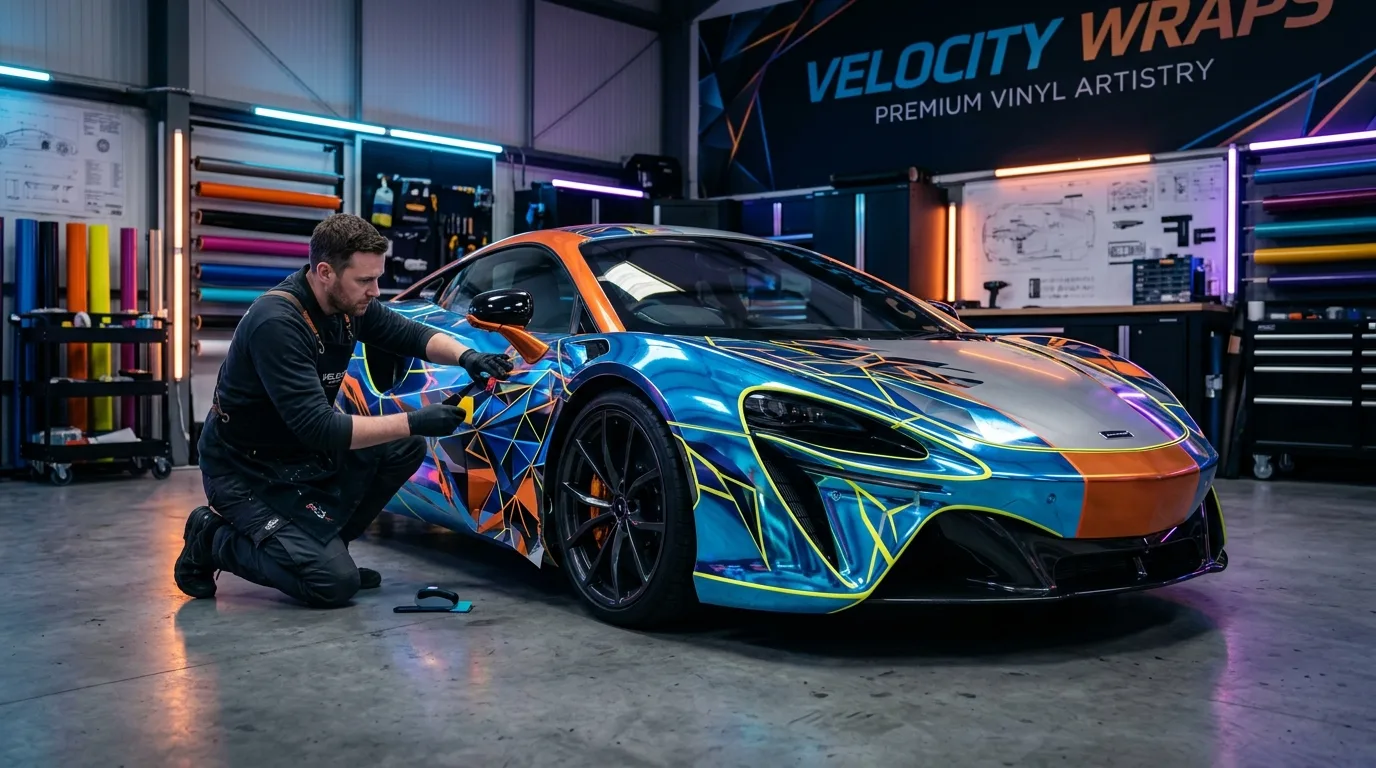

Designing Your Dream Wrap: Principles for Stunning Vehicle Graphics
As a seasoned wrap expert with over 15 years in this incredible industry, I’ve seen vehicles transformed from ordinary to extraordinary with the magic of vinyl. But before any film touches paint, there’s a crucial first step: the design. Designing a custom wrap isn’t just about sticking a cool picture on your car; it’s an art and a science that blends aesthetics with automotive contours. Whether you’re a DIY enthusiast or planning to hire a professional, understanding these design principles will ensure your dream wrap truly shines.
Table Of Content
- Designing Your Dream Wrap: Principles for Stunning Vehicle Graphics
- 1. Start with a Vision: What’s Your Wrap’s Purpose?
- 2. Embrace Your Vehicle’s Canvas: Lines and Contours
- 3. Core Design Principles for Vehicle Wraps
- 4. Working with Vehicle Templates and Software
- 5. Material Choices and Their Design Impact
- 6. Avoiding Common Design Pitfalls
- 7. The Design Process: From Concept to Reality
1. Start with a Vision: What’s Your Wrap’s Purpose?
Before you even open design software, ask yourself: What do I want this wrap to achieve?
- Personal Expression: Is it purely for aesthetics, reflecting your personality, hobbies, or artistic taste?
- Branding/Business: Is it a moving billboard for your business? If so, clarity, brand consistency, and legibility are paramount.
- Performance/Racing: Does it need to incorporate racing numbers, sponsor logos, or aerodynamic-inspired graphics?
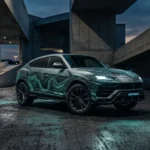
Knowing your purpose dictates everything from color palette to overall complexity. For example, a full wrap on a 2024 Tesla Model Y for a tech startup might feature minimalist, sleek lines and branding, while a Ford F-150 crew cab for an off-road enthusiast could sport a rugged, custom camouflage pattern.
2. Embrace Your Vehicle’s Canvas: Lines and Contours
Your vehicle isn’t a flat billboard; it has curves, angles, door handles, mirrors, and panel gaps. A great design works with these features, not against them.
- Body Lines: Use the natural lines of the vehicle to guide your graphics. A stripe that flows seamlessly from the front fender to the rear quarter panel looks intentional and professional.
- Obstacles: Avoid placing critical text, logos, or intricate patterns directly over door handles, fuel caps, bumpers, or extreme concave/convex areas. These spots are prone to distortion or cuts during installation, making your design look unprofessional.
- Scale: A graphic that looks great on a small section might get lost or overwhelming when scaled across an entire vehicle. Always consider the vehicle’s overall size.
3. Core Design Principles for Vehicle Wraps
These are the fundamental rules that elevate a good design to a great one:
- Simplicity & Clarity: Often, less is more. A cluttered design is hard to read and visually confusing. Aim for impact and clear messaging, especially for business wraps.
- Color Theory: Understand how colors interact.
- Contrast: Essential for legibility. Dark text on a light background (or vice-versa) is easiest to read.
- Harmony: Colors that work well together create a pleasing aesthetic.
- Brand Colors: For businesses, strict adherence to brand guidelines (specific CMYK or Pantone values) is critical. Remember, digital printing uses CMYK (Cyan, Magenta, Yellow, Key/Black) to create colors, which can sometimes differ slightly from RGB screen colors.
- Typography: Choosing the right font is crucial.
- Legibility: Can it be read easily at a glance, even when moving? Avoid overly decorative or thin fonts for main messages.
- Font Pairing: Use a maximum of 2-3 fonts that complement each other.
- Balance & Flow: Distribute visual elements (text, graphics, logos) evenly. Your design should guide the eye smoothly around the vehicle without feeling heavy on one side.
- Negative Space: The “empty” areas around your design elements are just as important. They give your eyes a place to rest and help define your main graphics.
4. Working with Vehicle Templates and Software
Professional designers use specialized software and vehicle templates:
- Software: Adobe Illustrator (for vector graphics like logos and text, which scale infinitely without pixelation) and Adobe Photoshop (for raster graphics like photos and complex textures, which are pixel-based). For wraps, vector graphics are always preferred for crisp lines and scalability.
- Vehicle Templates: These are accurate, scaled outlines of specific vehicles (e.g., from providers like The Bad Wrap or Art Station). They allow designers to create a realistic mock-up, showing how the design will look on the actual vehicle, accounting for curves and cut-outs.
- Pro Tip: Design your graphics at full scale if possible, or at least a 1:10 scale with a very high resolution (e.g., 300 DPI for any raster elements). This prevents pixelation when the design is printed at full size.
5. Material Choices and Their Design Impact
The type of vinyl film you choose can influence your design possibilities:
- Printed Wraps (Digital Prints): These allow for full custom graphics, gradients, photographic images, and intricate patterns. Brands like 3M IJ180mC or Avery MPI 1105 are premium cast vinyl films (the premium, heat-activated film that conforms to complex curves without shrinking back) designed for digital printing. They are always protected with a clear overlaminate (e.g., 3M 8518, Avery DOL 1360) for UV protection, durability, and desired finish (gloss, matte, satin).
- Color Change Wraps with Cut Vinyl Accents: If your base is a solid color change film (e.g., 3M 2080/1080 Series, Avery Supreme Wrapping Film, Oracal 970RA, Hexis HX30000), you can layer cut vinyl graphics on top. This is great for racing stripes, logos, or simple patterns in contrasting colors.
- Specialty Films: Chrome, metallic, textured, or color-shifting films offer unique effects that can be integrated into designs for high impact.
6. Avoiding Common Design Pitfalls
- Low Resolution Images: Nothing screams “amateur” like a blurry, pixelated logo or graphic. Always use high-resolution source files.
- Distortion: Stretching or squishing elements to fit an area. Maintain aspect ratios.
- Ignoring Seams & Overlaps: On large vehicles, panels require multiple pieces of vinyl. A good design will account for these seams, either by making them invisible or incorporating them into the design flow.
- Over-Complication: The “busy” wrap is a classic beginner mistake. Too many elements, colors, or fonts create visual noise.
7. The Design Process: From Concept to Reality
Here’s how a professional shop like ours typically approaches a custom wrap design:
- Consultation: We discuss your vision, purpose, budget, and vehicle.
- Measurements & Photos: We take precise measurements and detailed photos of your vehicle.
- Concept & Sketching: Initial ideas are sketched out or digitally rendered.
- Digital Mock-ups: Using vehicle templates, we create realistic mock-ups for your review. This stage often involves several revisions.
- Approval: Once you’re 100% happy, we finalize the design.
- Print Preparation: Files are prepared for printing, including adding bleed areas (extra design around the edges to ensure full coverage when trimmed) and setting color profiles.
The cost for a full custom printed wrap, including design, materials, and installation, can vary significantly. For instance, a basic color change on a sedan might range from $3,000 to $4,500. Adding intricate custom graphics, especially if they require significant design hours, specialty films, and complex installation, could easily push the total to $5,000-$8,000+ for a vehicle like a mid-size SUV.
Designing your dream wrap is an exciting journey. By understanding these principles, you’ll be well-equipped to create a design that not only looks fantastic but also effectively serves its purpose, making your vehicle a true extension of your style or brand. Happy wrapping!